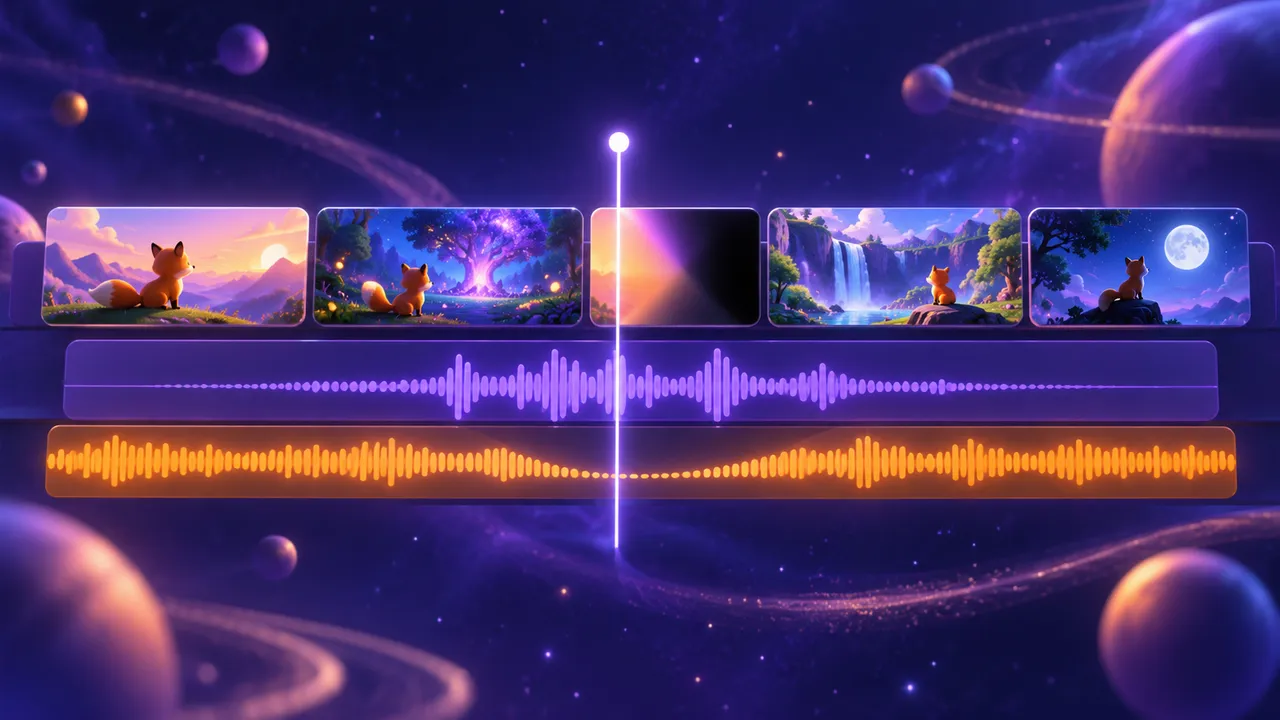
How to Keep a Consistent Character Across Every AI Video Clip
Keep a consistent character in every AI clip: a 9:16 A-pose sheet, a 16:9 turnaround, empty scene plates and one fixed style string. Free template.
A consistent character is the difference between an AI short that feels like a story and one that feels like ten random clips. In shot one your hero has a red scarf and short hair. In shot four the scarf is blue, the face is rounder and the jacket has changed. These changes can distract viewers from the story and make the character harder to follow.
The consistent character method in this guide has four parts: one fixed style string, a front character sheet, a turnaround sheet and empty scene plates. You make these images once, before you generate any video, and attach them to every clip as reference images. If you are new to the full process, read the pillar guide on how to make an AI short film first, then come back here.
Why a consistent character is hard for AI
Do not assume a separate generation automatically inherits the identity from your last clip. If your prompt only says "a young woman in a red scarf", the model invents a new young woman every time. Three things cause most drift:
- No reference image. Text may leave important visual details open. An approved picture reduces that ambiguity, though it cannot guarantee a perfect match.
- A changing style. If one prompt says "3D cartoon" and the next says "anime", you get two different people.
- Missing angles. The model has only seen the front of your character, so when she turns around it guesses what her back looks like.
The steps below reduce these risks; inspect every generated result before accepting it.
Step 1: Lock one style string for the whole film
Before you draw anyone, write one line that describes the look of the whole film. For example: 3D cartoon style, soft rounded shading, warm pastel colors, clean lines. Copy this exact line into every image prompt and every video prompt. Do not rewrite it. A consistent character starts with a consistent style.
You can mix styles, but test the combination in one approved image first. “Watercolor illustration with soft storybook lighting” is a simple starting point. Ink textures and neon colors can also coexist when clearly specified; avoid changing their balance between shots.
If you have an image you own or have permission to use, upload it to our Image to Prompt tool. It returns a detailed prompt with notes on style, lighting, color and mood. Keep only the style words, drop the subject, and add your own subject. Use broad visual qualities rather than copying a distinctive subject or composition, and review the result for originality.
Step 2: Make a 9:16 consistent character sheet
Your first asset is one full-body image of each character. Use these fixed settings:
- 9:16 vertical, so the whole body fits from head to shoes.
- Pure white background, so nothing else gets mixed into the character.
- Full body, front view, eye level.
- A-pose: standing straight, arms slightly away from the body, so hands and sleeves stay visible.
Describe the face, hair and clothes in plain, concrete words. "Round face, short black bob, small mole under the left eye, mustard yellow raincoat, red rubber boots" is better than "a stylish girl". Each concrete detail is an anchor that helps a consistent character survive many clips.
Generate a few versions and pick one. This image is now the truth for that consistent character. Every later image must match it.
Step 3: Build a 16:9 consistent character turnaround
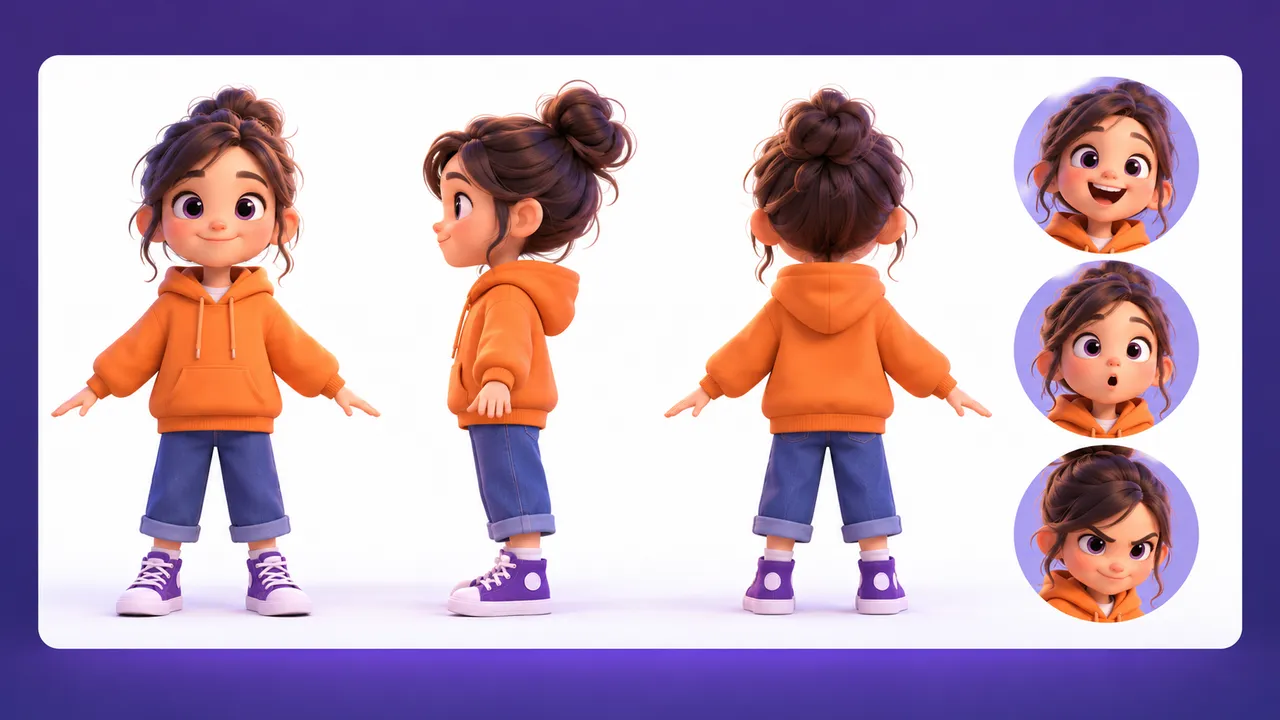
A front view is not enough. When the character walks away or turns her head, the model needs to know what the side and back look like. So make a turnaround: front, side and back views of the same character, side by side, in one 16:9 image on a white background.
Give your image tool the front sheet as a reference and ask for "the same character, same outfit, same hairstyle, three views in a row: front, side, back, full body, white background". Check the result closely: hair length at the back, boots, accessories. Fixing one image now is much cheaper than fixing twenty clips later.
Keep the front sheet and the turnaround together in one folder per character. These two images are your consistent character kit.
Step 4: Make empty 16:9 scene plates
A consistent character also needs a consistent place. Otherwise the kitchen in clip two grows a new window in clip five. Make one image for each location, with no people in it. These are scene plates. Generate them in 16:9 so the model has a wide view of the room, street or forest, and use the same style string.
Your final short can still be 9:16; the plate is a reference for the place, not the final frame. If your video app crops it badly, make a 9:16 version too. For long-form YouTube, 16:9 plates and clips work directly.
Step 5: Bind your consistent character as a reference image
Now you generate video. Models that accept several reference images let you attach your consistent character turnaround and the plate to each clip. In a Seedance 2.0 interface that exposes reference labels, attach the images and use the exact labels shown there. The @image1, @image2 names below illustrate the binding; adapt them to your app. At the time of writing it supports multiple references and clips of up to about 15 seconds; check the current limits in the app.
Bind every name to an image, every time:
@image1= character A turnaround@image2= character B turnaround@image3= scene plate for this location
Then write the action: "@image1 opens the door of @image3 and sees @image2 sitting at the table." The model now has a face, a body and a room to copy, not just words. These references can help a consistent character stay recognizable, but they still need a shot-by-shot visual check. Our free Seedance prompt generator turns your notes into a clean video brief, and the Seedance 2.0 prompt template post shows how to time four sub-shots inside one 15-second clip.
If you start from a single still instead, our Image to Video tool writes a motion prompt from that picture. It does not render video, but it gives you camera and movement words to paste into your video model.
The image formula: pick 4–6 parts
For every consistent character sheet, plate or extra still, build the prompt from these seven parts:
- Style – your fixed style string
- Angle – eye level, low angle, high angle, front view
- Subject – who or what, with concrete details
- Background – white, or the named location
- Action – standing in A-pose, walking, holding a cup
- Lighting – soft daylight, warm lamp light, moonlight
- Mood – calm, tense, lonely, cheerful
You do not need all seven. Pick 4–6. Too many words make the model guess which ones matter. For a consistent character sheet, style + angle + subject + background + action is usually enough. Save lighting and mood for plates and story shots.
Copyable consistent character prompt template
Fill in the [BRACKETS] and keep the style line identical across every prompt in your film.
CONSISTENT CHARACTER SHEET (front)
Style: [YOUR FIXED STYLE STRING]
Format: 9:16 vertical, full body, front view, eye level, A-pose, pure white background
Subject: [NAME], [AGE] [GENDER], [FACE SHAPE], [HAIR COLOR + STYLE],
[ONE UNIQUE MARK], wearing [TOP], [BOTTOM], [SHOES], [ONE PROP OR ACCESSORY]
Rules: no other people, no text, no background objects

CONSISTENT CHARACTER TURNAROUND
Reference: the front sheet above
Format: 16:9 horizontal, white background
Prompt: same character, same face, same outfit, same hairstyle,
three full-body views in a row: front, side, back

SCENE PLATE
Style: [YOUR FIXED STYLE STRING]
Format: 16:9, no people
Place: [LOCATION], [TIME OF DAY], [2-3 KEY OBJECTS], [LIGHTING], [MOOD]

--- Filled example: consistent character sheet for a 9:16 short ---
Style: 3D cartoon style, soft rounded shading, warm pastel colors, clean lines
Format: 9:16 vertical, full body, front view, eye level, A-pose, pure white background
Subject: Mina, 10-year-old girl, round face, short black bob with a yellow clip,
small mole under left eye, wearing a mustard raincoat, blue shorts,
red rubber boots, holding a small paper boat
Rules: no other people, no text, no background objects
Repeat this for every consistent character in your story. With three characters, you will have three front sheets, three turnarounds and one plate per location before you make a single clip.
Mistakes that break a consistent character
- Changing clothes without a new sheet. If Mina changes into a school uniform, make a new front sheet and turnaround for that outfit.
- Describing the face again in every video prompt. Let the consistent character reference carry the face. Extra face words can fight the image.
- A busy background on the sheet. Background objects leak into the character, like a lamp that turns into a hat.
- Too many people in one clip. Start by testing one or two clearly separated people. This is a simpler production choice, not a universal model limit or a guarantee against swapped faces.
- Forgetting the style string. One missing line can turn a 3D clip into a flat drawing.
Try it free: Image to Prompt — upload a picture you like and get a detailed prompt with style, lighting and mood notes, ready for your consistent character sheets. No sign-up.
FAQ
What is a consistent character in AI video?
It is a character who looks the same in every clip: same face, hair, clothes and style. You get a consistent character by making reference images first and attaching them to each generation, instead of describing the person from scratch every time.
Why is the consistent character sheet 9:16 but the turnaround 16:9?
A standing body is tall, so 9:16 shows it from head to shoes with no wasted space. Three views side by side are wide, so they fit better in 16:9.
Can I keep a consistent character with text prompts only?
You can get close with a very detailed, fixed description, but faces will still drift. Reference images are far more reliable. Use text for the action and let the images carry the look.
Do I need a new sheet for each episode?
No. A consistent character across a series comes from reusing the same kit. Only make new sheets when the character changes outfit, age or form.