Video to Script: Reverse-Engineer a Viral Short and Make It Your Own
A video to script workflow: break a viral short into script, characters, a shot-by-shot remake table and notes, then swap the details to make it yours.
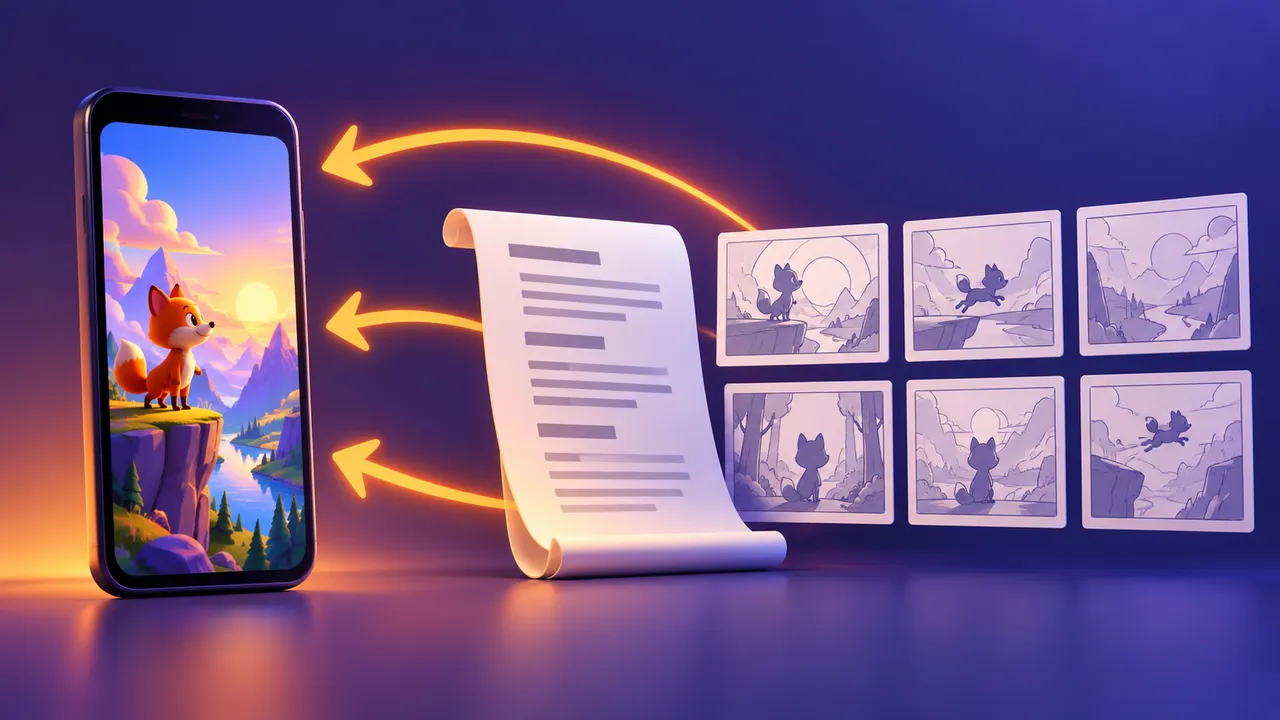
A video to script workflow lets you study a short that already works and turn what you see into a written plan: the story, the characters, every shot and the small production choices behind it. You are not copying the video. You are learning why it holds attention, then using that structure for a new story with your own characters. This guide walks through the full process for AI story shorts, with a copyable prompt and a filled example.
Why go from video to script first
Many planning problems appear before the first clip is generated. The idea is vague, the shots are random, and the AI video model fills the gaps with whatever it likes. A popular short gives you concrete choices to study. Popularity alone does not prove which choice caused viewers to stay; separate visible timing from assumptions about performance.
When you turn a video to script, you get four things you can reuse:
- The story skeleton — the order of events, such as meeting, losing, searching and finding.
- The character roles — who wants what, and who stands in the way.
- The shot rhythm — how long each shot lasts and where the cuts fall.
- The production notes — color, sound, effects and the hook in the first 3 seconds.
The goal is the skeleton, not the skin. Characters, setting, props, dialogue and art style should all change in your version. If you want the full pipeline from idea to upload, read how to make an AI short film after this guide.
Step 1: Get a shot-by-shot breakdown of the video
Start with Video to Prompt. Upload the clip (up to 20 MB, MP4, MOV, WEBM and other common formats) or paste a YouTube Shorts or youtu.be link. The AI returns scene-by-scene prompts: who is on screen, where the scene happens, how the camera moves and what happens in each time-coded moment.
This breakdown is the raw material for your video to script work. Treat it as a draft, not a verified transcript. Replay the source to check the shot order, timing and dialogue before using those notes.
A few tips:
- Pick shorts of 30 to 90 seconds for video to script practice. Long videos are harder to analyze and harder to remake.
- If the file is bigger than 20 MB, trim it to the part you care about.
- Save the full output in a text file. You will paste it into a chat model in the next step.
For still images from the same video, such as a thumbnail or a key frame, the AI prompt extractor handles both clips and stills on one page.
Step 2: Go from video to script with a chat model
Now paste the breakdown into any AI chat model (ChatGPT, Gemini, Claude or similar). A good request has three parts: who the AI is, what the task is, and what the output standard is (format, number of items, length). Vague requests get vague scripts.
Ask for five sections:
- Story summary — 3 to 5 sentences, beginning to end.
- Character list — name, role, personality, and look keywords (clothing, hair, colors, one signature detail).
- Scene script — each scene with place, characters, action and dialogue.
- Shot-by-shot remake table — shot number, shot size, duration, what happens, dialogue, sound, and a short "remake note".
- Production notes — visual style, key effects, pacing, and hook design.
Here is a template you can copy. Fill in the brackets.
VIDEO TO SCRIPT REQUEST

You are a short-drama script editor with 10 years of experience
breaking down viral vertical videos.

TASK: Below is a scene-by-scene breakdown of a [LENGTH]-second
[GENRE] short. Turn this video to script format so I can study
it and remake its structure with new characters.

OUTPUT STANDARD:
1. Story summary: 3-5 sentences.
2. Character list: name | role | personality | look keywords.
3. Scene script: place, characters, action, dialogue.
4. Shot-by-shot remake table: shot # | shot size | seconds |
   what happens | dialogue | sound | remake note.
5. Production notes: visual style, key effects, pacing
   (seconds per shot), hook in the first 3 seconds, ending hook.
6. Story skeleton: the plot in 4-6 beats of 2-4 words each.

Format: [9:16 vertical] short, plain language, no extra advice.

BREAKDOWN:
[PASTE THE OUTPUT FROM VIDEO TO PROMPT HERE]
Read the result once from start to end. Check that the character list matches what you actually saw and that the shot count is close to the real video. AI models sometimes merge two shots or invent a line of dialogue. Fix these now, because every later step depends on this document.
Step 3: Pull out the story skeleton
The last section of the template is the heart of video to script work. A story skeleton is the plot with every specific detail removed. For example, many emotional shorts follow this shape:
separation → longing → unexpected reunion → staying together
Another common one is ordinary person → sudden danger → small brave act → everyone safe. A third is lost object → long search → found in a surprising place.
Reduce your notes to an abstract sequence, then close the source before writing. Do not copy distinctive scenes, dialogue or visual designs. Changing names alone does not make a close remake original; develop new causes, conflicts and a new resolution.
Step 4: Swap characters and props to make it yours
Give the skeleton from your video to script document back to the chat model and ask it to write a new story. Change at least these four things:
- Main characters — a different species, age, job or culture.
- Key prop — the object the story turns on (a kite instead of a ball, a phone instead of a letter).
- Setting — a different city, season or time of day.
- Dialogue — written fresh, never translated from the original.
Here is a filled example. Imagine the source short is about a lighthouse keeper who loses a seal pup in a storm and finds it again in spring. The skeleton is separation → longing → reunion → together. A remake for a South Asian audience could look like this:
NEW STORY (9:16 vertical, 60 seconds, 3D cartoon style)

Skeleton: separation -> longing -> unexpected reunion -> together

Characters:
- Ali, 8, rickshaw driver's son, blue school shirt, gap-toothed smile
- Chandni, small white kitten with one grey ear, rests in a basket with a red ribbon

Key prop: a red ribbon on Chandni's familiar sleeping basket

Beat 1 (0-15 s): Monsoon rain. Chandni slips out of Ali's arms
  at a busy bus stop and is carried away in the crowd.
Beat 2 (15-30 s): Ali leaves a familiar basket on the sheltered terrace
  every night and watches the street below.
Beat 3 (30-45 s): At the bazaar, Ali sees a familiar grey ear
  under a fruit cart.
Beat 4 (45-60 s): Ali and Chandni sit on the rooftop at sunset,
  the red thread decorating the kitten's basket beside them.
This invented example keeps only a broad emotional pattern. Check that the conflict, resolution, dialogue and shot compositions are genuinely your own; replacing props alone is not a reliable originality test.
Step 5: From script to shots and clips
A script is still not ready for an AI video model. It has no shot sizes, no camera moves and no exact timing. If you give a script straight to the model, it will guess, and every clip will look different.
Next steps:
- Split the story into 15-second segments with 3 to 5 shots each. The Storyboard Generator turns a paragraph into numbered shots with time codes, camera moves and lighting. Write "15 seconds, 4 shots" in your idea then check the timing and shot count manually.
- Keep one action per shot. Our guide to AI storyboards: one shot, one action explains the rules that make shots easy for a model to draw.
- Turn each segment into a multi-shot prompt with the Seedance prompt generator.
- Plan a strong opening. The production notes from your video to script document tell you how the original grabbed viewers; see video hooks for AI shorts for more patterns.
All examples here use 9:16 vertical, because that is what Shorts and Reels need. The same video to script method works for 16:9 too, for example when you plan a longer YouTube video.
Common video to script mistakes
- Remaking one video only. Run video to script on three or four shorts in the same genre. The skeleton that repeats is the one worth using.
- Keeping the original names or lines. Viewers and platforms notice. Change them all.
- Skipping the read-through. One wrong character note in the script becomes a wrong character in every clip.
- Treating the remake table as a storyboard. The table is for study. Your own storyboard should be written fresh for your new story.
Try it free: Video to Prompt — upload a short or paste a YouTube Shorts link and get a scene-by-scene breakdown to start your video to script work. No sign-up.
FAQ
Is a video to script remake the same as copying?
Not necessarily. Use the analysis to learn and write a new story from an abstract pattern. Changing names and props alone is not enough. This method is not permission to reuse footage, dialogue, music, artwork or distinctive scenes.
Can Video to Prompt write the full script by itself?
It gives you a detailed scene-by-scene breakdown with time codes, camera moves and on-screen action. For the full video to script document with character list and remake table, paste that breakdown into a chat model using the template above.
What kind of shorts work best for this?
Story shorts of 30 to 90 seconds with a clear emotional arc (friendship, loss, rescue, revenge or a twist ending) are the easiest for video to script practice. Very fast meme edits have less story to learn from.
Which video formats can I upload?
MP4, MOV, WEBM, AVI and other common formats up to 20 MB. YouTube Shorts and youtu.be links can be pasted directly; other links need to be downloaded and uploaded as a file.